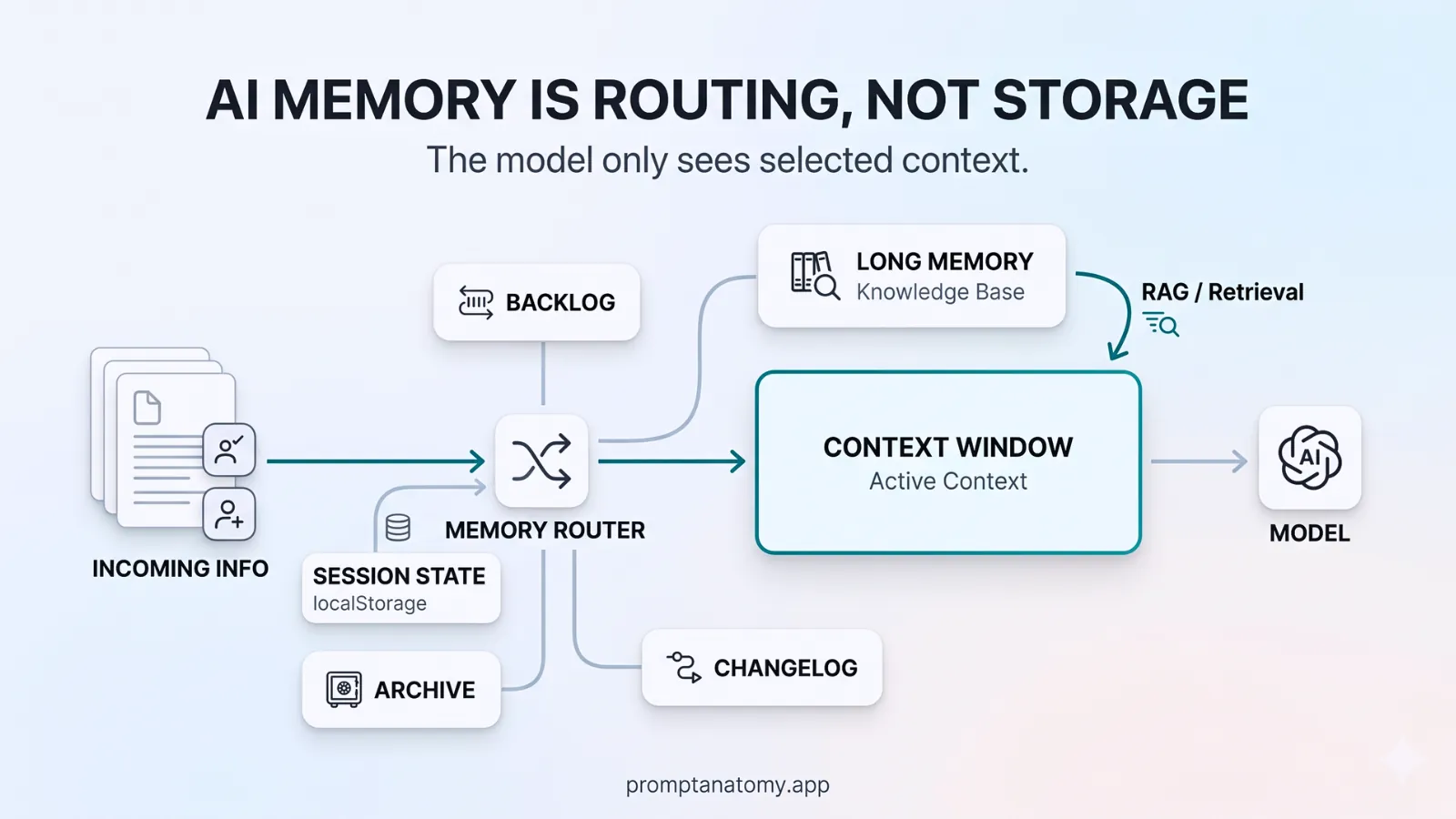
Memory in AI systems is not one feature. It is several mechanisms with different lifetimes, owners, and risk profiles. Teams that treat “turn on memory” as a product toggle often discover the cost months later: wrong customer context in a reply, policy text from a deprecated pack, or retention that violates a contract they already signed.
Context architecture decides which memory type applies where—not how large the prompt window is. The hero on Three Types of AI Memory shows the short/long/system split as a poster. Memory is not state keeps a remembered draft from counting as a finished send. This article names the types in operational detail, gives decision criteria for when each is appropriate, walks through a composite support workflow, and lists failure modes that show up in audits and incident reviews.
Memory types at a glance
Before you add persistence anywhere, classify what you are storing. The table below is a working vocabulary for design reviews and risk forums—not a vendor feature list.
| Type | What it stores | Typical lifetime | Risk if misused |
|---|---|---|---|
| Session | Current task thread | Until session ends | Low if scoped to one case |
| Episodic | Past interactions for continuity | Days to months | Stale facts, wrong customer bleed |
| Organizational | Approved docs, policies, playbooks | Versioned, long-lived | Low when retrieval is governed |
| Working (in-prompt) | Assembled context for one run | Single invocation | Token cost, leakage if over-filled |
A saved note can become a later instruction if organizational memory is chat residue. That path is mapped in When Prompt Injection Becomes an Action. Working memory is what you assemble for a single model call: task framing, retrieved KB chunks, ticket excerpts. It should be designed explicitly in the context spec, not grown by users pasting more each time. Organizational memory is your approved corpus—versioned, tagged, owned by Legal or domain leads. Session and episodic are where most incidents start: convenience today, bleed tomorrow.
When to use each type
Use these criteria before any new store or “remember this” feature ships. If the answer is unclear, default to stateless runs for customer-facing or regulated outputs and add memory only with a written reason in the workflow record.
Default to stateless when outputs can commit the business (refunds, legal language, medical or financial advice, export-controlled content). The model should see only what this invocation’s context spec allows—no silent carry-over from yesterday’s chat.
Session memory fits a single case or ticket thread: last N messages, draft history for this conversation, tool results for the open task. Scope it with case ID and tenant ID. Delete or archive when the case closes; do not reuse session blobs as training data without a separate governance decision.
Episodic memory is for continuity across sessions when the business truly needs it—e.g., “this account had three escalations in ninety days.” Make it human-visible (summary shown to the agent, not silent injection), tenant-scoped, and refreshable. Episodic without tenant boundaries is how Customer A’s issue appears in Customer B’s draft.
Organizational memory should flow through retrieval with tags (approved, deprecated, customer-safe), not ad hoc uploads per user. Owners approve versions; IT mounts indexes; Legal owns policy packs. See data boundaries for what agents may read—not everything in the wiki belongs in organizational memory.
Forget on purpose. Define retention for session and episodic stores in the same document as your audit trail policy. “We keep everything forever because storage is cheap” is not a strategy when GDPR, sector rules, or customer DPAs apply.
Northline support-reply-v3: what is stored where
Northline B2B, a 120-person services firm, runs tier-2 support assist as workflow support-reply-v3. Their memory design is intentionally boring—which is the point.
Session (ticket-scoped): Last five messages in ticket #4821, current draft in the agent UI, checker results for this run. Lifetime: until ticket status is closed. No session data from other tickets is mounted in the same invocation.
Working (in-prompt, per run): Task framing from the prompt registry, policy pack support-policy-2026-04, up to three KB articles tagged customer-safe, and the ticket excerpt hash logged in audit. Assembled fresh each time; not edited in place in a shared chat thread.
Organizational: KB and policy packs in the retrieval index. Quarterly legal review; deprecated articles tagged so retrieval excludes them. When a near-miss cited an old refund rule, the fix was re-tagging KB content—not retraining the model.
Episodic (optional, account-level): A short human-readable summary of prior escalations for the same account, shown to the support agent before they accept the model draft. Northline disabled silent auto-inject after a pilot showed agents stopped reading the ticket when a summary was always present.
Explicitly denied: Full chat history from unrelated products, HR records, internal wiki draft pages, and cross-customer ticket search. Denials are enforced in connectors, not only in prompt text—aligned with their data boundaries matrix.
On ticket close, session scratch data is deleted within twenty-four hours; compliance logs (input hash, policy version, sent text) retain per their seven-year class. That split is documented in their context spec next to evaluation hooks pass thresholds.
Design rules that survive handoffs
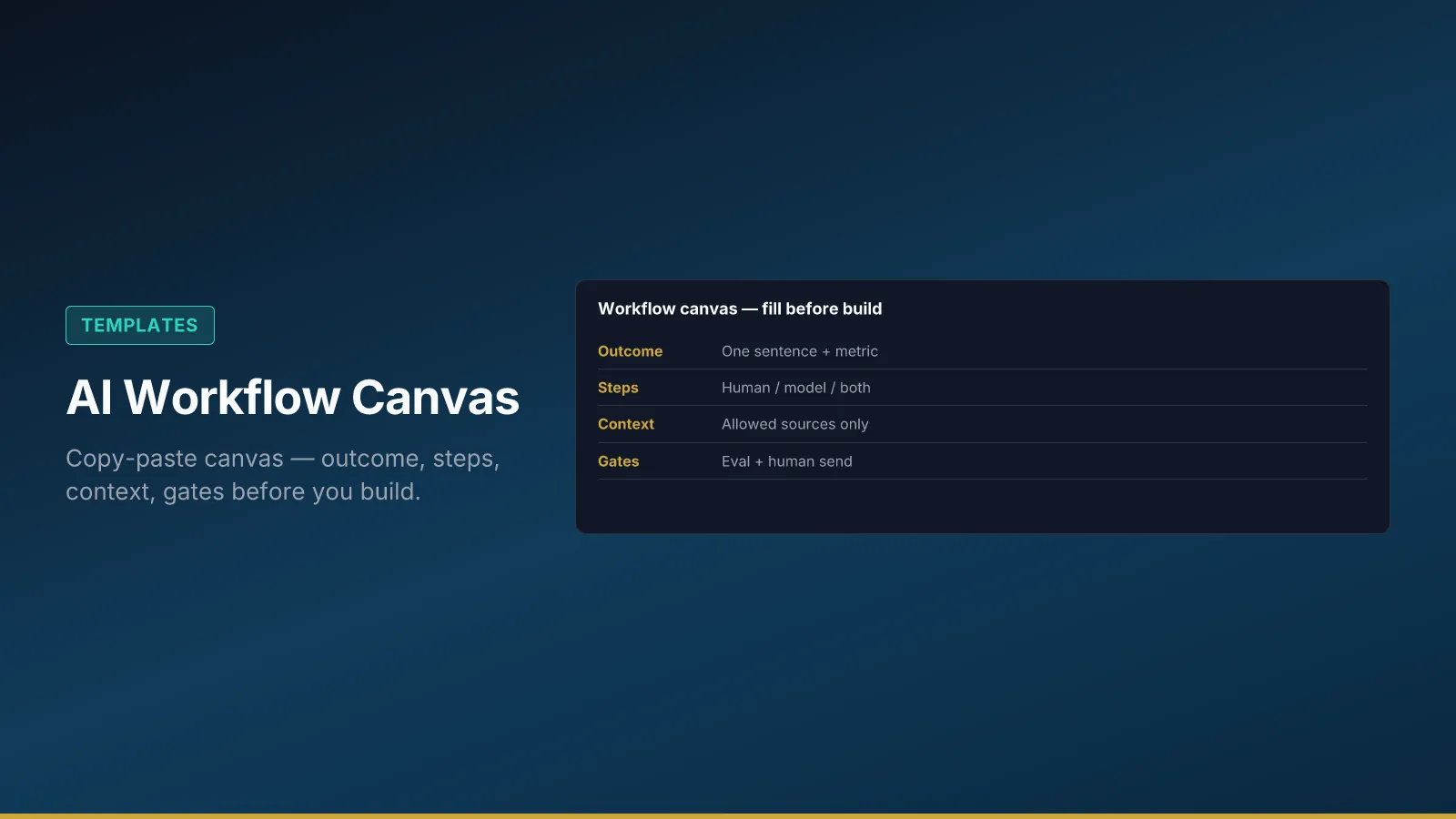
These rules are implementation-agnostic; they belong in the workflow canvas and RACI, not in a single engineer’s notebook.
- Default to stateless runs for regulated outputs; add memory only with a written reason and owner sign-off.
- Episodic memory needs tenant and case IDs—never a shared pool across customers or environments (dev logs bleeding into prod retrieval is a common variant).
- Organizational memory flows through retrieval with approval tags; shadow uploads from power users bypass governance and show up in incidents first.
- Version policy packs and KB with fields like
policy_pack_versionin logs so replay after a near-miss is possible—see Northline’s risk review minutes for a real example. - Separate debug verbosity from compliance retention; do not store full prompts in debug buckets with shorter TTL and assume that satisfies audit.
Failure modes
Cross-tenant bleed happens when episodic or session stores key only on user account, not customer tenant, or when retrieval indexes are shared across pilot and production. Symptom: drafts reference the wrong company name or contract tier. Fix: enforce tenant ID at mount time; add eval cases that fail on cross-tenant fixtures.
Stale episodic inject surfaces when summaries are generated once and never invalidated after policy or product changes. Symptom: confident language that matched last quarter’s rules. Fix: expiry dates on summaries; trigger refresh on policy pack bump.
Shadow organizational uploads occur when teams paste “the latest deck” into a side channel instead of the approved index. Symptom: two versions of truth; Legal approves one, the model sees another. Fix: block unapproved sources in integration config; route requests through the registry in structured prompt system workflows.
Kitchen-sink working memory inflates tokens, latency, and contradiction risk—especially when someone enables a larger context window and treats it as permission to add everything. Symptom: higher cost, slower responses, conflicting paragraphs in one answer. Fix: layer design in context architecture; cap sources per run in the spec.
How this fits the implementation stack
Memory choices sit under workflow and beside evaluation. Changing memory without re-running eval is how teams promote a regression while pass rates still look fine on last month’s cases. Add new episodic or organizational sources to the eval set within a week of any production near-miss.
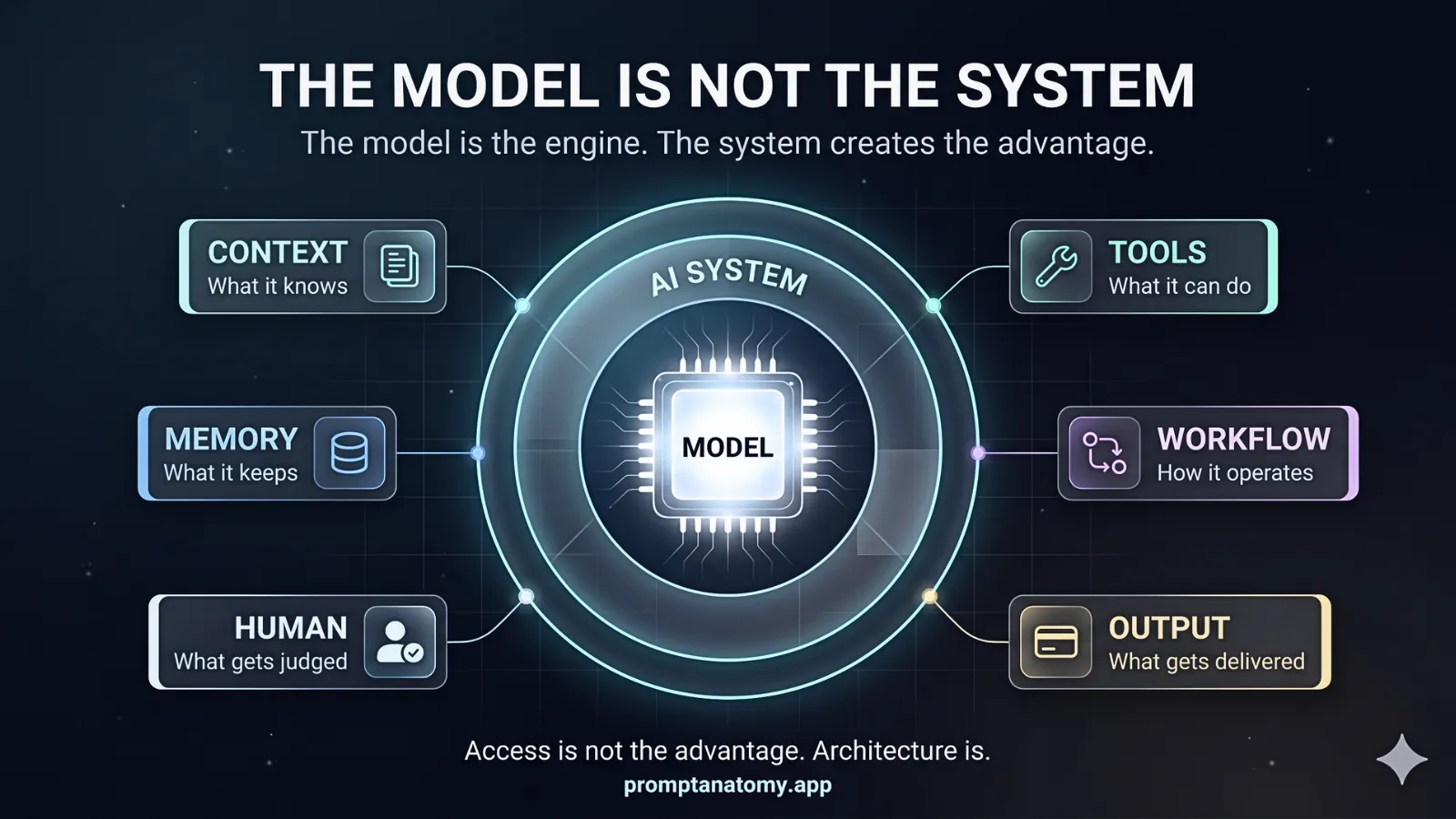
If you are mapping where your team is on discipline overall—not only memory—use the AI implementation maturity ladder and the flagship frame in The Model Is Not the System. Memory is one layer in that system, not a substitute for it.