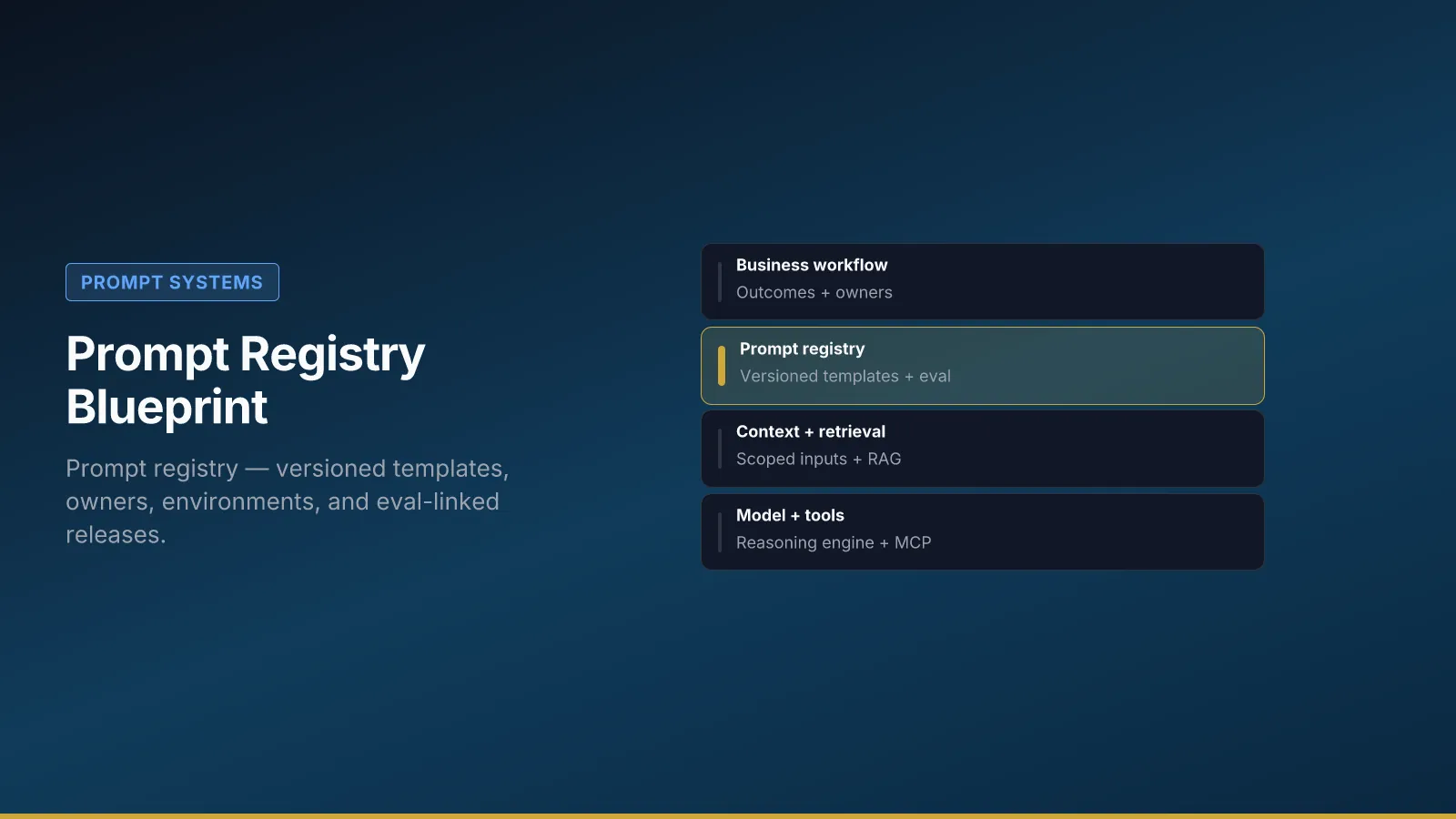
Ad hoc prompts in shared docs drift the week after launch. Someone “just fixes” wording in prod during a Friday incident; three teams fork different versions; Legal discovers customer-facing language that never went through review. A prompt registry is the alternative: versioned templates, named owners, environment pins, and releases tied to evaluation hooks—the same discipline you expect from application code, applied to the text that frames model behavior.
This blueprint defines registry components, walks through a sample entry for Northline B2B’s support-reply-v3, explains rollout without boiling the ocean, and gives decision criteria for new prompt IDs versus version bumps. Pair it with context architecture versioning and the AI workflow canvas before registry entries multiply.
Why registries beat shared docs
Shared documents fail for three predictable reasons. Drift: the wiki says one thing, the integration loads another, and nobody notices until a customer does. Audit: you cannot answer who changed customer-facing language on May 14 or roll back to the prior wording without archaeology in chat logs. Ownership: “everyone can edit” means no one is accountable when eval pass rate drops after a “small tweak.”
A registry makes prompts addressable: stable prompt_id, semver or calendar versions, environment pins (dev / staging / prod), and an explicit link to the eval set that gates promotion. Process owners see the same artifact IT deploys; Legal can approve a version hash, not a moving Google Doc.
Northline blocked a second copilot purchase until support-reply-v3 held ninety-two percent eval pass for four weeks—not because they lacked models, but because they lacked a single prod pin and changelog. The registry was the artifact that made that conversation factual.
Blueprint components
Each live workflow should have rows in a registry—not prose in a deck. The table below is the minimum schema; extend with your ITSM or git tooling as needed.
| Component | Purpose |
|---|---|
| Registry | Canonical prompt IDs per workflow step |
| Owners | Who may approve changes |
| Environments | dev / staging / prod prompt pins |
| Changelog | Why version bumped |
| Eval link | Which case set gates release |
Registry entries map one logical step (task framing, checker, retrieval query template) to one ID. Owners are accountable humans—usually process ops for business wording, with IT for integration pins. Environments prevent “we tested in staging but prod still loads last month” by making promotion a deliberate act. Changelog ties versions to tickets and risk decisions. Eval link is non-negotiable for customer-facing workflows: no eval set ID, no prod promotion.
Sample registry entry (field by field)
The YAML below is Northline’s production row for task framing in support-reply-v3. Read it as a checklist for your own first entry—not as a vendor-specific format.
prompt_id: support-reply-v3/task-framing
workflow_id: support-reply-v3
owner: support-ops@northline.example
version: 1.4.2
environment: prod
template_hash: sha256:a1b2…
eval_set_id: support-reply-eval-25
min_pass_rate: 0.92
last_release: 2026-05-10
approved_by: legal-counsel@northline.example
prompt_id is stable across versions—like an API route. version bumps when wording or constraints change; never edit prod in place. template_hash lets audit replay prove which text ran. eval_set_id and min_pass_rate connect to the smoke / pilot / scale gates in evaluation hooks. approved_by records Legal for policy-bearing prompts; IT may approve retrieval templates, but customer commitments need named counsel on high-risk workflows.
Promotion path at Northline: change in dev → smoke on ten cases → pilot threshold for two weeks → risk forum vote for shadow traffic increase → prod pin update with changelog line linked to risk cadence minutes.
Decision criteria: new prompt_id vs version bump
Teams accumulate prompt sprawl when every experiment gets a new ID. Use these rules to keep the registry legible.
Bump version when the workflow step is the same but wording, constraints, or output contract changed—task framing 1.4.2 → 1.4.3. Re-run eval; update template_hash; log in changelog.
Add a new prompt_id when the step is genuinely new—e.g., adding a checker/refund-policy step that did not exist, or splitting retrieval query from task framing because they now have different owners and release cadences.
Do not fork IDs for A/B model tests; use environment pins and feature flags on the same ID where possible so audit and eval stay comparable.
Retire old versions to archive, not delete—regulators and customers may ask what ran on a date six months ago. Northline keeps retired rows read-only with environment: retired.
If you cannot explain in one sentence why a new ID exists, you probably only needed a version bump.
Northline rollout (first workflow only)
Northline’s first registry mistake would have been entering every chat template in the company on day one. They started with one workflow: support-reply-v3. Support ops owned three prompt IDs (task framing, retrieval query template, checker). IT pinned prod hashes in integration config—wiki copy is reference only, not authoritative.
Week 1–2: Canvas completed on workflow template; context spec linked from architecture guide; eval set of twenty-five cases drafted.
Week 3–4: Registry rows in dev; smoke gate enforced in CI for pull requests touching prompt files.
Week 5–8: Pilot at fifty percent tier-2 queue; weekly pass rate in risk forum; no Friday prod releases without on-call owner listed in changelog.
After pass rate held: Prod pin updated; shadow traffic increased per forum decision; policy_pack_version added to logs after a near-miss—see audit trails.
Second workflow (routing agent) cloned the matrix with a narrower allow list and its own eval set—expanded only after fifty-case pass, per data boundaries.
Release checklist (operational)
Treat promotion like a software release because it is one.
- Bump version in registry; never edit prod in place.
- Run eval smoke plus pilot thresholds documented for the workflow.
- Log release in changelog with ticket link and approver names.
- Notify process owner and risk forum if customer-facing or policy-bearing.
- Spot-check ten audit rows after promotion—inputs,
policy_pack_version, sent text.
Block Friday prod releases without a named on-call owner. Pair registry changes with context pack version bumps when Legal publishes new policy text—prompt and context move together or eval lies.
Rollout anti-patterns
- Registry as documentation only while prod loads prompts from a developer’s laptop export.
- Shared doc “source of truth” with no hash or version in logs—audit cannot replay.
- Eval optional for “internal” workflows that later face customers after a rebrand.
- Multiple prompt_ids for the same step because teams could not agree on semver.
Where to go next
For the full operational guide—release checklist, rollback, and promotion paths—see The Prompt Registry Playbook. Document the workflow on the canvas before adding registry rows. Wire evaluation hooks before scaling traffic. Align context layers in what is context architecture so prompt versions and policy packs version together. When ownership is unclear, start with governance roles RACI so someone can say no to scope creep—not another tool purchase.