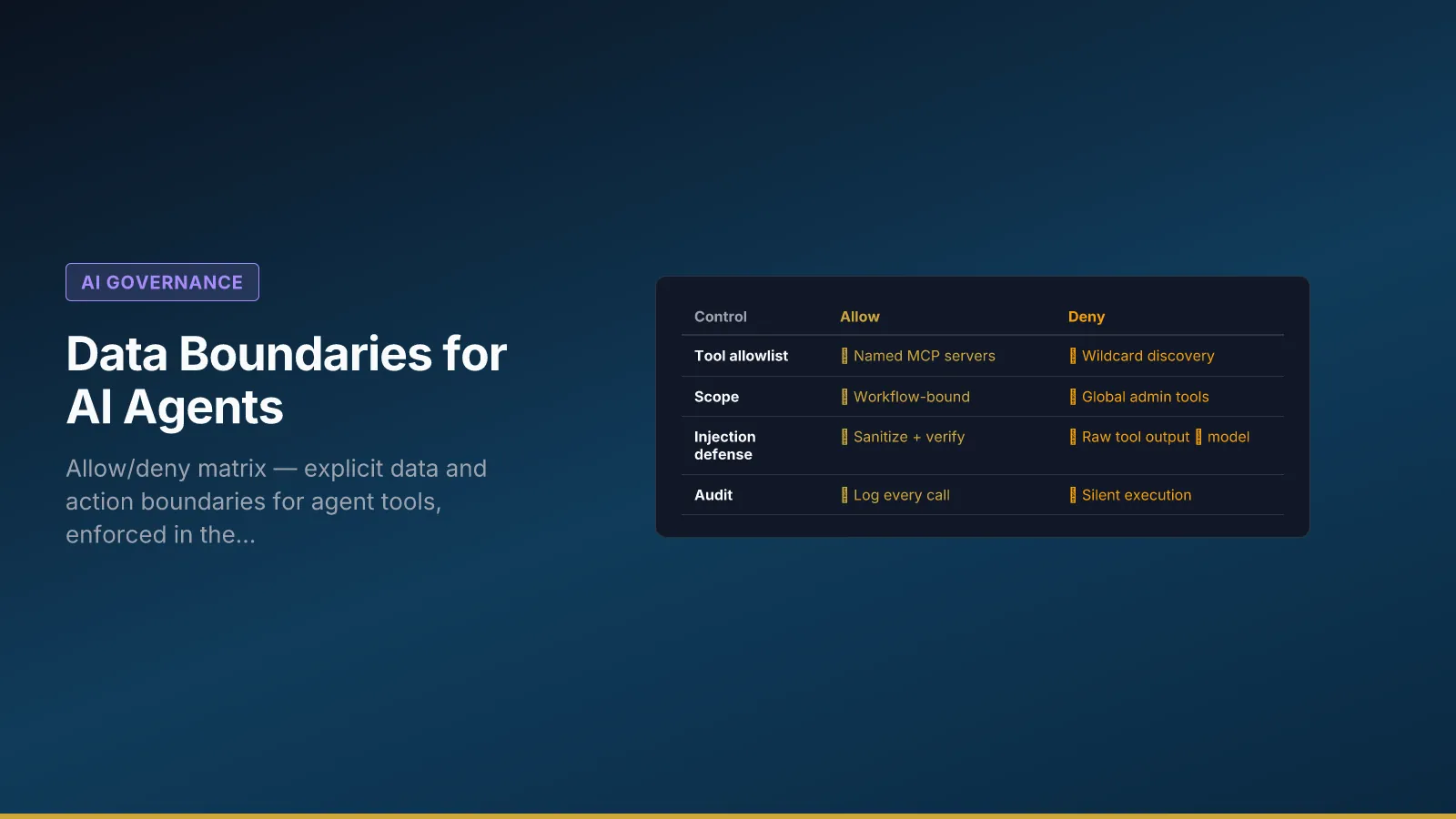
Retrieved text is hostile input, not a softer kind of instruction. The matrix below is the isolate step; the path map is When Prompt Injection Becomes an Action. Agents that can “read everything” eventually read the wrong thing. Data boundaries define what an agent may retrieve, write, or infer—and what always requires a human. Prompt text alone is not enforcement; the integration layer must fail closed when a workflow requests a denied resource. Teams that learn this after a near-miss usually fix prompts first; auditors ask about connector configuration.
Northline B2B documents boundaries for support-reply-v3 and a pilot routing agent. This article explains default-deny design, a filled allow/deny matrix, policy triggers that force human review, and how to expand access with eval evidence—not optimism.
Connect to context architecture classification, governance roles, audit trails, and risk cadence for the full loop. When agents use Model Context Protocol servers, sanitize tool returns before they re-enter the prompt—see Securing MCP and Agent Tools. For the grounded-vs-guessing visual, see Why AI Hallucinates.
Default deny and workflow-scoped matrices
Start from deny all, then add rows with workflow owner sign-off and Legal consult for customer-facing reads/writes. A global “AI can access CRM” permission creates silent scope creep when five workflows share one connector.
Each workflow gets its own matrix version linked to workflow_id. When Northline piloted a routing agent, they cloned the matrix with one new write row—ticket routing field only—after fifty-case eval pass. Expanding allow lists without evidence recreates vibe prompting with API keys.
Map matrix rows to data classes in your context spec (public, internal, confidential, regulated). If a class is human-only, the matrix should say No for model retrieval—not “discouraged in prompt.”
Research and scraping agents
Research bots that crawl the web or internal wikis still need workflow-scoped allow/deny rows—not a prompt that says “only use reputable sources.” Governed retrieval means named indexes, connector enforcement, and denied paste-the-internet behavior tied to your context architecture spec.
Northline allow / deny matrix (support-reply-v3)
The table is the contract between process owner, IT, and Legal—not a suggestion for the model.
| Resource | Read | Write | Conditions |
|---|---|---|---|
| CRM (customer tier, product line) | Yes | No | Production tenant only; no bulk export |
| Ticket system (case thread) | Yes | Yes (draft note) | Current case only; no cross-customer |
| Email send | No | No | Human sends in v1 |
KB articles tag customer-safe |
Yes | No | Max 3 articles per run |
Internal wiki draft |
No | No | Always denied |
| HR / payroll | No | No | Always denied |
IT enforces via connector config: workflows without kb_customer_safe scope cannot mount HR indexes. Violations log as boundary_denied and surface in risk forum—spikes trigger review before shadow traffic increases.
Policy triggers (automation + human gates)
Triggers translate policy into runtime stops—not reminders in system messages.
Export-control or health-related keywords → stop generation, route to human with case ID preserved.
Bulk-delete or bulk-export patterns → deny tool call, log attempt, notify security distribution.
Confidence below threshold → read-only recommend mode; no write actions to ticket or CRM.
VIP flag → Northline added after eval case #17; agent may suggest escalation language only from approved pack—human must send.
Triggers should appear in eval sets as denial cases—happy-path-only eval gives false confidence. See evaluation hooks for case design.
Implementation in the integration layer
Copy boundaries into prompt footers if helpful, but enforce in connectors: scope tokens, resource IDs, rate limits, and per-workflow credentials. Choosing MCP versus a custom API does not replace this matrix—see MCP vs Custom Tool APIs for Regulated Teams for the surface decision. Log every tool call with actor, workflow version, resource ID, and allow/deny result—fields in audit trails.
Review boundaries when you add a model, connector, or retrieval index—not only at launch. Model swaps change tool-use behavior; denial paths need re-validation.
When dev and prod share search infrastructure, prove tenant isolation with tests—episodic bleed often starts in shared indexes described in memory types.
Operating boundaries with governance
Workflow owner proposes matrix changes; Legal approves new read classes affecting customer commitments; IT implements and demonstrates denial in staging; forum records promotion tied to eval pass.
Do not approve “temporary” prod exceptions without expiry date in risk register—exceptions become architecture.
Monday start: Copy the template for one real workflow with system names. Verify each No fails in staging without prompt compliance. Add one eval case that must fail when a denied resource is requested. Link matrix version to next registry release.
Agents need an explicit allow list; everything else is out of scope by default. That sentence is easy; the matrix and connector work are how you mean it.