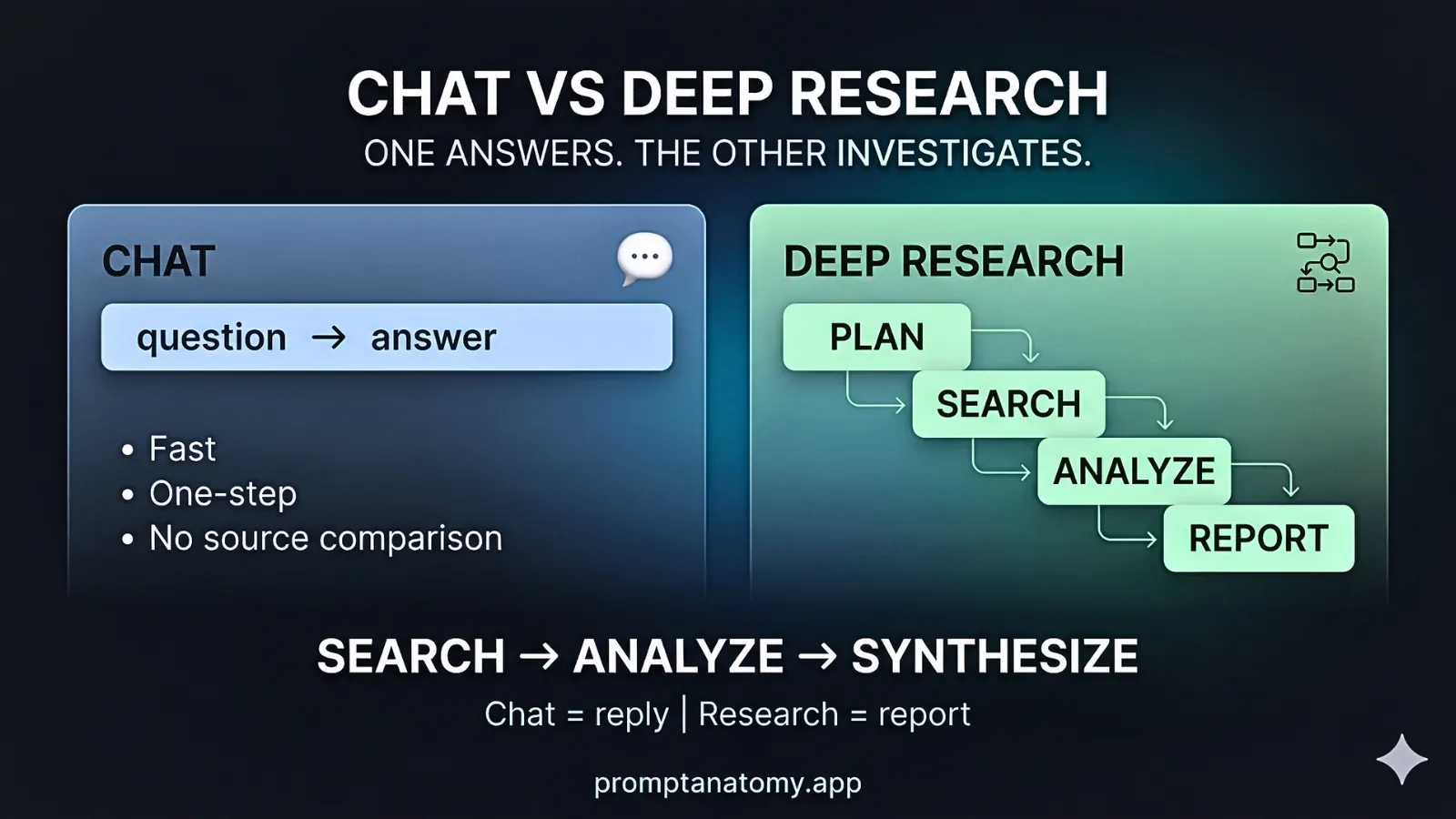
Prompt engineering optimizes one model call—tone, format, and guardrails in a template. AI workflow engineering designs the system around that call: triggers, context, handoffs, evaluation, logging, and ownership so the same task stays repeatable under real operations. Teams confuse the two because both happen in chat UIs; vendors blur them because prompt libraries are easier to sell than RACI.
If one expert gets excellent results while peers struggle on the same task, longer system prompts are rarely the fix. Shared workflow, context architecture, and eval usually are—see types of prompts for how prompt roles split inside a workflow, not one mega-message.
Comparison at a glance
The comparison is not “prompts bad, workflows good.” Prompts are how you express step logic; workflows are how you guarantee the right step runs with the right evidence and approval. Use the table in steering conversations when someone proposes a thirty-page system prompt to fix operational variance.
| Dimension | Prompt engineering | Workflow engineering |
|---|---|---|
| Unit of work | One message or template | End-to-end process |
| Success metric | Format, tone, single-shot accuracy | Business outcome, auditability |
| Failure mode | Brittle phrasing | Missing handoffs, context, or eval |
| Owners | Power users, content | Ops, IT, process owners |
Prompt work still matters—inside named steps. Workflow work names those steps, who owns them, and what must be logged before send.
Prompt layer (what belongs here)
The prompt layer is where you encode step semantics: what the model should produce, in what shape, with what refusals. Templates for task framing, checker instructions, retrieval query formulation, and transformation (format adjust) each get their own registry ID in mature programs. Policy belongs in maintained packs, not ad hoc sentences appended during incidents.
Version prompts in a registry with eval linkage. Prompt tuning without eval is optimization on anecdotes; two strong operators debating phrasing while pass rate is unknown is a common waste of calendar time. Prompt engineering shines when the workflow boundary is already correct and the failure is localized to wording or format.
Context engineering layer (what feeds the prompt)
Context engineering sits between raw data and the prompt template. It answers: Which documents load? Which fields are forbidden? Which policy pack version applies? How much history fits before quality degrades? A perfect task-framing prompt still fails when retrieval returns the wrong KB article or when a stale policy pack contradicts Legal’s current wording.
Mature programs treat context as versioned artifacts—same rigor as prompt IDs. Allow lists live in connector config, not wishes in prose. Memory windows are bounded; “just add more context” is how teams trigger context rot without noticing until eval pass rate slips. Context engineering pairs with what is context architecture before anyone proposes a longer system message. When the question is which check comes first, the pack or the spec, use context engineering versus context architecture.
When quality varies by customer segment or data source but not by operator skill, you likely have a context problem. When it varies by operator on identical inputs, capture the expert’s template after workflow exists—do not skip straight to registry semver.
Workflow layer (what surrounds the prompt)
Workflow engineering answers questions prompts cannot: Should this run at all? On which cases? With what data? Who may send? What do we log? What blocks promotion? Triggers start runs on the right cases only—status changes, form submits, not “whenever someone feels like it.” Context retrieval enforces allow lists in connectors, not wishes in prose.
Human review gates customer-facing send in v1 for high-risk paths. Logging enables replay for audit. Rollback when smoke fails after a change is a workflow responsibility—IT and process owner, not the prompt enthusiast who edited last. The workflow canvas is the artifact where these answers must exist before tools are purchased.
When to invest where (signals)
Use signals from operations, not vendor benchmarks. If the same task varies by operator but not by customer segment, you likely have a workflow and context problem masquerading as a prompt problem. If one expert succeeds while peers fail on identical inputs, capture that expert’s work as registry templates after workflow exists—do not immortalize private chat hacks.
| Signal | Likely fix |
|---|---|
| One expert gets great results | Prompt + shared template in registry |
| Same task, random quality across staff | Workflow + context architecture |
| Regulated or customer-facing output | Workflow + evaluation + governance |
| Tool churn, no owners | Governance before more prompts |
| High activity, flat CSAT | Outcome mapping + eval, not new copilot |
Northline invested in workflow first for support-reply-v3; prompt edits followed eval failures, not workshop enthusiasm.
By maturity stage
Investment emphasis shifts as artifacts appear. Ad hoc organizations should not skip to registry semver while still unable to name a workflow owner. Governed organizations should not keep buying prompts when forum minutes show missing log fields. The table is a compass, not a maturity badge for steering decks.
| Stage | Emphasis |
|---|---|
| Ad hoc chat | Light templates; document one pilot workflow |
| Repeatable pilots | Context spec + eval set for one process |
| Operational | Workflow versioning, audit trails, change control |
| Governed scale | Risk forum, boundaries, outcome metrics |
When quality varies by user but not by task, invest in workflow design before longer system prompts—the distinction saves quarters of elegant phrasing on undefined processes.