Large context windows are useful. They are not a strategy. Procurement decks celebrate megabyte-scale limits while operations still sees wrong refund language, stale policy clauses, and invoices that grow with every “just paste the wiki” experiment.
Entry primer — for architecture design see What Is Context Architecture.
Northline B2B’s support pilot hit this wall in week three: a well-intentioned lead exported twelve months of ticket PDFs into the prompt “so the model would understand us.” Pass rate on held-out cases dropped eight points; median token cost per draft tripled. Legal was not upset about window size — they were upset that version four of the refund policy never appeared while version one surfaced twice because it lived in an old attachment bundle.
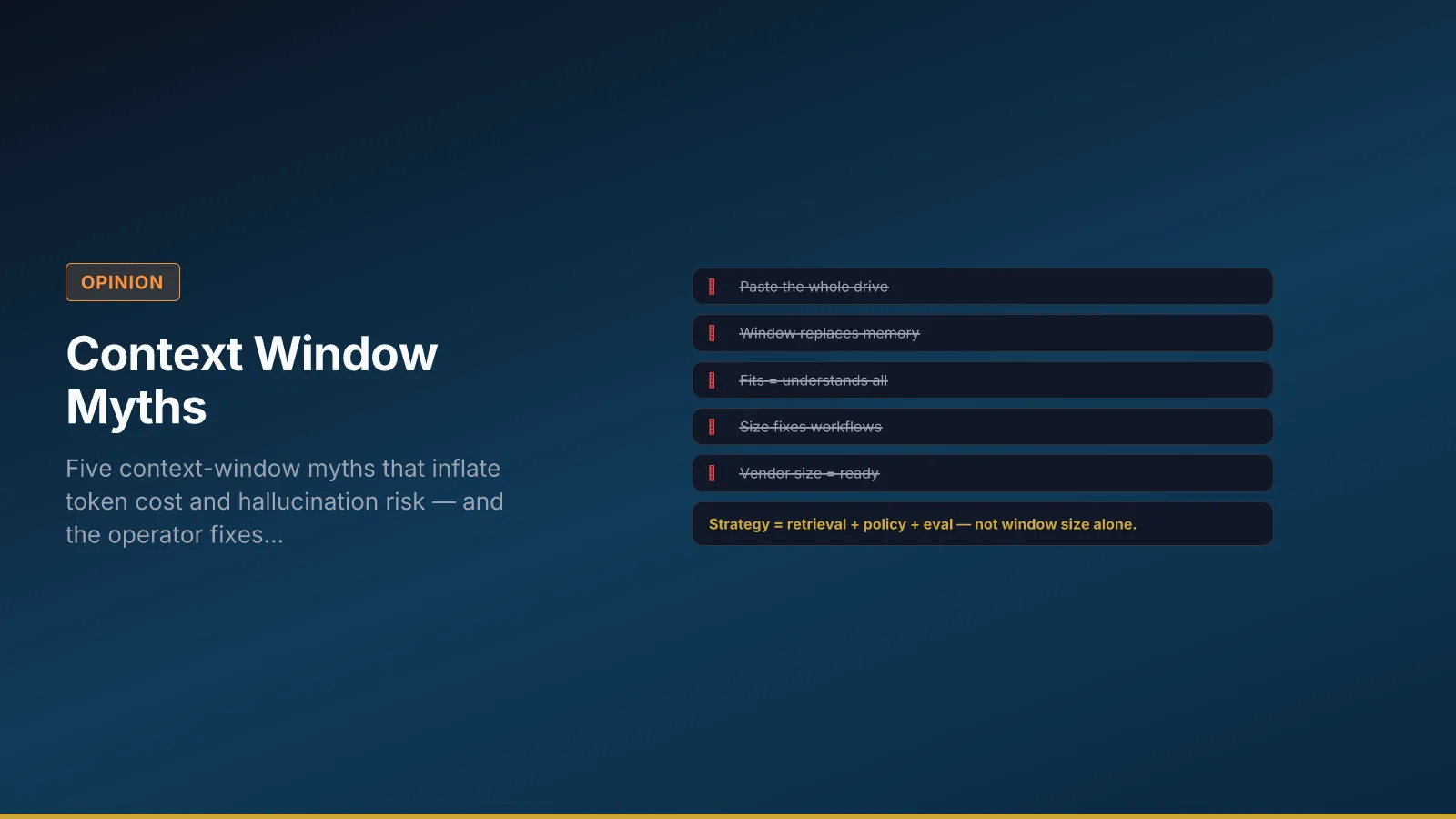
Myth 1 — Paste the whole drive
Symptom: Operators treat the context window as storage. Every run carries exports, wikis, and email threads “just in case.” Cost rises; citations point at wrong document versions.
Fix: Governed retrieval with approved corpora, version IDs, and denial when confidence is low. Policy packs belong in named layers — not ad hoc paste.
Action this week: List every source in your top workflow’s context spec; mark approved, deprecated, or forbidden. If more than three unversioned sources appear, freeze paste experiments until a pack owner signs.
Myth 2 — Bigger window removes need for memory design
Symptom: Teams skip TTL, consent, and deletion paths because “it all fits now.” Customer A’s context bleeds into Customer B’s draft; churned accounts still influence replies.
Fix: Memory types with retention rules — session vs profile vs system configuration — independent of window size. See Memory Types for AI Systems and the poster mapping in Three Types of AI Memory.
Action: Document TTL per memory store on the workflow canvas; assign a privacy owner for profile data.
Myth 3 — If it fits, the model understands it all
Symptom: Critical rules buried on page forty-seven never surface; formatting looks perfect while substance drifts. Reviewers trust fluency.
Fix: Repeat non-negotiable rules in task and policy layers deliberately; do not rely on attention over long dumps. Split long inputs through retrieval and summarization steps.
Action: Add three held-out eval cases where the correct answer depends on a rule in the middle of a long doc — if pass rate fails, your architecture—not window size—is the gap.
Myth 4 — Context size fixes bad workflows
Symptom: Same task type produces different quality by department; retry rate stays high; best prompts live in individual chat histories.
Fix: Workflow IDs, versioned templates, and eval gates — not bigger prompts. See Prompt Engineering vs AI Workflow Engineering and Chaos vs Control Prompting.
Action: Name one workflow owner and one eval set before the next window-size upgrade request reaches finance.
Myth 5 — Vendor window size equals production readiness
Symptom: Decks claim “enterprise ready” because a larger model SKU shipped. No audit trails, no pass-rate trend, no incident replay.
Fix: Readiness is eval gates, audit trails, and named owners — window size is capacity, not control.
Action: Require pass rate, override rate, and sample replay in the next risk forum before production promotion.
Myth → fix decision table
| Myth | Ops symptom | Fix | Owner |
|---|---|---|---|
| Paste the drive | Rising tokens, wrong doc version | Scoped retrieval + pack version | Process + IT |
| Window replaces memory | Cross-customer bleed | Memory TTL + access matrix | Privacy + product |
| Fits = understands | Buried rules missed | Layered policy + step split | Quality lead |
| Size fixes workflow | Variance by user | Workflow ID + registry | Process owner |
| Vendor size = ready | No replay after incident | Eval + audit fields | Governance sponsor |
What to do instead
Right-size context per run, version policy packs, measure accuracy on held-out cases — not token count alone. For unified production design, see Grounding AI Outputs. When larger windows make agents worse despite more text, read Context Rot. For window mechanics and step splits, see Tokens and Context Window Limits.